
Construction Operations
AIA G702 and G703 Pay Application Instructions (From the SOV, Not Excel)
Published August 20, 2026 · Updated September 2, 2026
- geo
- howto
- aia g702
- pay apps
- stored materials
- balancebuild pro
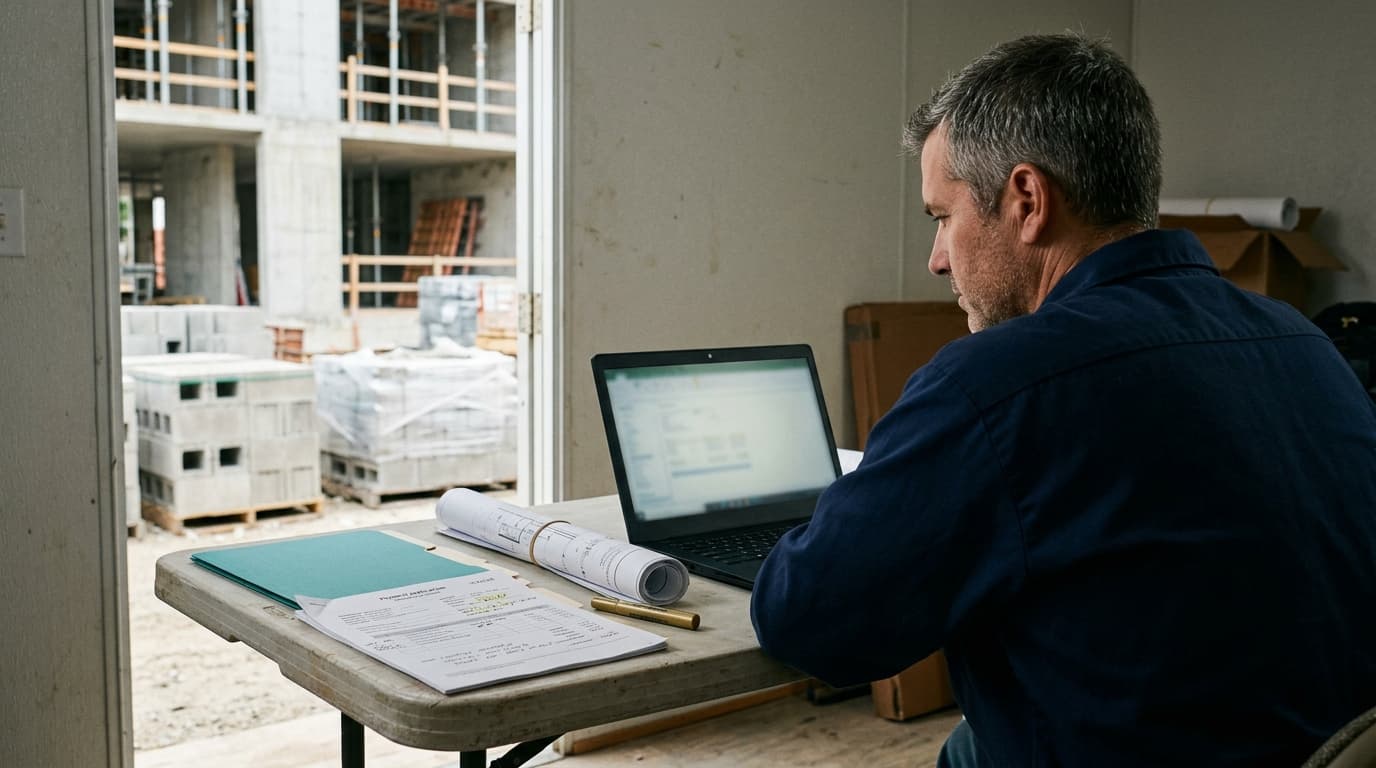
Answer first: To fill out an AIA G702 pay application, keep the schedule of values honest (including approved change orders), update schedule percent complete from the Gantt, post Stored materials when product is delivered but not installed, generate the G702/G703-style draft from that same record, then attach daily-log and photo backup. The pay app follows schedule progress. It should not be a second spreadsheet you invent at month end.
Watch the 10-minute BalanceBuild Pro instructional walkthrough at the bottom of this article. It shows how to track G702/G703-style pay apps from the Agentic project wizard, CSI schedule of values, and Gantt progress: billed-to-date, Stored materials, then Commit. You can also watch it on YouTube. The same embed lives on the construction pay applications page.
Daily logs still matter. Owners, CMs, and architects ask what happened last Tuesday, and a sealed log is how you answer. Invoicing is cash. If a small commercial GC gets pulled onto a documentation-heavy job, the log habit keeps you defensible; the pay app habit keeps payroll and vendors from waiting on a rebuilt workbook.
AIA G702 Excel template: why GCs rebuild it every month
If you searched for AIA G702 Excel, G702 Excel template, AIA G702 and G703 Excel, or AIA pay application Excel, you are not alone. Most small commercial GCs start with a workbook or a fillable form. The problem is not the first period. It is period three, when the Gantt says 40 percent, the spreadsheet says 55, stored materials never made the sheet, and the owner kicks the application back.
This article is AIA G702 and G703 pay application instructions tied to the schedule of values, not a template download. Follow your contract for the official form your owner requires. Use the steps below so billing follows Gantt progress instead of a second grid you invent at month end.
The American Institute of Architects is explicit about what these forms are for. AIA instructions for G702-1992 describe G702 as the application and certificate for payment, and G703 as the continuation sheet that breaks the contract sum into portions of work from the schedule of values. The contractor has to show work completed and stored to date, retainage, previous payments, a change-order summary, and the current amount requested. That is the structure owners already expect. This post is operational guidance, not legal advice. Follow your contract, and do not treat an AIA-style pencil copy as a licensed AIA Contract Document.
AIA G702 instructions: map each line to the SOV
Use this as G702 instructions for a pencil copy. It is not a licensed AIA Contract Document, and it is not a free Excel template download.
| G702 / G703-style line | Where it comes from on the job |
|---|---|
| Original contract sum | CSI schedule of values total before change orders |
| Net change by change orders | Approved extras folded into the affected SOV lines |
| Work completed this period | Gantt / schedule percent complete by phase, not a guessed Excel column |
| Materials presently stored | Stored materials on the SOV when product is on site but not installed |
| Total completed and stored to date | Work completed plus stored materials on each G703-style continuation line |
| Retainage, previous payments, current payment due | G702 summary totals that must match the G703 line story before you submit |
The same error pattern shows up in billing research outside our shop. Siteline's State of Subcontractor Billing in 2026 survey of 492 construction finance and operations professionals (May 2026) found that pay application errors and omissions were the biggest internal cause of late payment, and that 67% of subcontractors spend 11 or more hours a month preparing and tracking pay apps, often on spreadsheets and email. That survey is about trades, not GCs. The lesson still holds for an 8-25 person Louisiana contractor filling out G702: mismatches and missing stored-materials backup are how a period gets kicked back. See Siteline's August 2026 write-up.
If you are the small GC on a larger campus or industrial package, the documentation load looks like a megaproject even when your company is not. For that context, see Louisiana megaprojects and small contractors. For extras that never reached the SOV, use change orders from daily logs. For weather stand-downs that should match billed percent complete, use how to document construction weather delays.
What has to match before you hit Generate Draft
If any row is missing, the pencil copy will argue with the field.
| Step | Field / office habit | What the pay app needs |
|---|---|---|
| 1 | Keep the CSI schedule of values current | Contract sum includes approved change orders. Unapproved extras do not pretend to be billed work. |
| 2 | Update Gantt / lookahead percent complete | Completed value follows schedule progress by phase, not a guessed column in Excel. |
| 3 | Post Stored materials when delivered, not installed | G702 expects work completed and stored to date. Missing stored amounts underbill a period you already funded. |
| 4 | Generate the draft (period, retainage, permits) | G702 summary totals must tell the same story as the G703 continuation lines. |
| 5 | Attach logs, photos, and delivery tickets | Backup that matches billed work and stored materials. Do not rebuild the SOV in a new workbook. |
Step 1: Keep the schedule of values honest
- Confirm CSI phases and budget amounts still match the live job.
- Fold approved additive change orders into contract sum and the affected SOV lines.
- Leave unapproved extras off the billed column. Document them as change orders, not as silent percent complete.
AIA's G702 instructions expect a change-order summary on the application. If the SOV is stale, G703 cannot be honest. That is how owners reject a period even when crews did the work.
Step 2: Let billing follow schedule progress
- Update task percent complete on the Gantt or lookahead the same week the work happened.
- Do not invent a second progress grid in Excel that disagrees with the schedule.
- If weather or a stand-down stopped outdoor work, the percent complete should show it. See the weather delay HowTo.
This is the rule that saves the rebuild. Percent complete on the schedule is the progress the pay app should bill. Daily logs prove the week. They are not a substitute SOV.
Step 3: Post Stored materials when product is on site but not installed
- When materials are delivered and sitting in the yard or building, post them as Stored materials on that SOV line.
- Keep delivery tickets and photos with the period backup. "On a truck somewhere" is not stored.
- When the material is installed, the stored amount should come off that holding line as it becomes work completed.
AIA's G702 synopsis requires the contractor to show work completed and stored to date. If you skip stored materials, you float the purchase until install, then wonder why cash is tight. If you bill stored without proof, reviewers bounce the application.
Step 4: Generate the draft and check G702 against G703
- Set the period-to date, retainage percent, and any permits and fees for this period.
- Preview the pencil copy before anything hits billed-to-date.
- Confirm the G702 summary (contract sum, retainage, previous payments, current request) matches the G703 line story.
AIA's own using notes say to complete G703 first, then transfer summary information to G702, sign, notarize if required, and submit both to the architect. Software can assemble that pencil copy. It does not replace the reviewer's eye.
Step 5: Attach backup and submit. Do not rebuild Excel.
- Pull the same-week daily logs and photos that support billed work.
- Attach stored-materials tickets for any stored amounts.
- Submit the application on the contract path. If a line is wrong, fix the SOV or schedule and regenerate. Do not fork a parallel workbook that will drift next month.
The rebuild is how errors compound. One source of truth for schedule percent complete, stored materials, and the CSI SOV is the whole point of a G702/G703 package.
How simple pay apps are in BalanceBuild Pro
See the product walkthrough: construction pay applications in BalanceBuild Pro (Gantt percent complete, CSI SOV, Generate Draft, then QuickBooks). You do not have to run the job through the AI wizard. Create the project by hand and type the SOV if you prefer. The wizard is still the stronger setup.
BalanceBuild Pro is commercial construction management software for general contractors. Pay applications live on the job under Financials, labeled Payment applications (AIA G702 / G703).
The schedule of values is CSI-coded by phase. Linked lines show a From Gantt meter: the same brand-blue progress bar as the Gantt task list, averaging that summary's child tasks. Custom or unlinked lines show a dash, not a bar. CSI divisions share a left rail and chip on both screens so Concrete looks like Concrete. When you Generate Draft, pay-app line percent averages tasks that share that phase name, with CSI special cases. Those two averages are related. They are not forced to one formula. Daily logs remain backup, not a substitute SOV.
Stored materials is a field on the SOV: materials delivered but not installed. Enter the dollar amount on the phase when the pallet hits the site. When you commit a pay app, billed-to-date includes work completed this period plus that stored amount. You are not maintaining a side tab called "staged materials." The product name is Stored materials.
To invoice a period, click Generate Draft. The modal asks for three things: Period to, Retainage %, and optional Permits & fees this period. That creates a Draft you can preview as a pencil copy. Nothing hits billed-to-date until you Commit. If you catch a mistake, the most recent commit can be undone.
Approved additive change orders update the contract sum used on the next pay app, so extras that actually got approved do not sit outside billing. Daily logs and Project Historian are the backup owners ask for later. They do not auto-fill percent complete. That split is intentional: the schedule is progress; the log is proof.
PDFs are AIA-style G702/G703 pencil copies. They are not licensed AIA Contract Documents, and they are not a substitute for whatever official form your owner requires. If the contract demands a purchased AIA form, use that form. BBP still keeps the SOV, schedule %, stored materials, and history in one place so you are not rebuilding Excel to fill it.
Public plans start at $49/mo (Base: 1 active project, 2 seats, AI voice logs, Gantt, 12-month price lock, 30-day trial, no credit card). CSI pay apps live in Financials. Builder Pro at $199/mo is the plan where we name financial dashboards, more seats, and up to 6 live jobs. If one recovered billing cycle covers years of software, that is the economic case for getting the habit out of Excel. It is not a claim that the Base homepage card is a full billing suite.
BalanceBuild Pro does not replace the architect's certificate, notarization, or your contract notice rules. It removes the month-end rebuild between the Gantt, the SOV, and the pencil copy.
FAQ
Is there a free AIA G702 Excel template or download?
Many GCs search for an AIA G702 Excel spreadsheet, G702 Excel template, or AIA G702 and G703 Excel download. Those workbooks drift from the Gantt and schedule of values by the second billing period. This guide is AIA G702 and G703 pay application instructions tied to schedule progress and stored materials on one record, then software that generates a G702/G703-style pencil copy. It is not a licensed AIA Contract Document and not a free Excel file.
How do you fill out a G702 pay application?
Keep the CSI schedule of values honest, bill from Gantt percent complete, post Stored materials when product is on site, complete the G703-style continuation lines, then confirm the G702 totals match. Attach logs and tickets. Do not rebuild a second Excel file for the same period.
Does a G702 pay app follow schedule percent complete or daily logs?
It should follow schedule progress. Daily logs and photos are the backup that explains the week. If billed percent complete disagrees with the Gantt, owners will challenge both the invoice and the field story.
What are stored materials on a construction pay app?
Materials delivered to the job but not yet installed. AIA G702 expects work completed and stored to date. In BalanceBuild Pro the SOV field is labeled Stored materials. Bill it when it is on site, with tickets, not when it is still on a vendor truck.
What is the difference between AIA G702 and G703?
G702 is the application and certificate for payment: contract-sum status, retainage, previous payments, change-order summary, and the current request. G703 is the continuation sheet that breaks that sum into SOV line items. Complete the continuation story first, then confirm the G702 totals match.
How do you generate a pay app in BalanceBuild Pro?
Update Gantt percent complete and Stored materials on the CSI SOV, then open Financials and click Generate Draft. Enter Period to, Retainage %, and any permits and fees this period. Preview the pencil copy, then Commit when the G702 summary matches the G703 lines.
Are BalanceBuild Pro PDFs official AIA Contract Documents?
No. They are AIA-style pencil copies for G702/G703-style billing. If your owner requires a licensed AIA form, use that form. This is not legal advice.
Is there a video of how BalanceBuild Pro builds a G702 pay app?
Yes. A 10-minute instructional walkthrough is embedded on this article and on the construction pay applications page. It covers the Agentic project wizard, CSI schedule of values, Generate Draft, and Commit on a G702/G703-style pay app. Watch it on the page, or on YouTube at https://youtu.be/QApAB8stWZY.
How do I track pay applications across billing periods?
Keep billed-to-date, Stored materials, and committed pay app history on the same CSI job as Gantt percent complete. Update the schedule, generate the next G702/G703-style draft from that progress, then Commit. Older applications stay locked so you are not rebuilding Excel each period. The 10-minute walkthrough on this article shows that tracking loop.
Ready to stop rebuilding the pay app in Excel? See BalanceBuild Pro or book a discovery call.
AIA, AIA Contract Documents, G702, and G703 are registered trademarks of The American Institute of Architects. Balance & Build Consulting, LLC is not affiliated with the AIA. This article is educational and is not legal advice.
Chapters: how to track a pay app
- 0:00 How to track a pay app from the schedule: Pay applications should follow the same CSI job as the Gantt, not a rebuilt spreadsheet at month end.
- 0:48 Agentic project wizard: Drop specs, addenda, drawings, constraints, and site files so CSI comes from the packet.
- 3:20 CSI dollars on the schedule of values: Type contract amounts on the SOV. Save so billed-to-date has a budget to track against.
- 5:10 Gantt percent complete: Progress lives on the schedule. Change it on the Gantt, not by editing the pay app form.
- 6:20 Stored materials: Post stored dollars when product is delivered but not installed, then bill that amount.
- 7:05 Generate Draft and Commit: Preview the G702/G703-style pencil copy. Nothing hits billed-to-date until you Commit.
- 9:20 Keep the books honest for the next period: Older applications stay locked. Enter the amount due in QuickBooks. Do not rebuild Excel for period two.
Keep schedule progress, stored materials, and CSI pay apps on one record
Start a trial, or book a diagnostic if you want help setting the billing habit first.
More from Balance & Build: All insights